Every wedding. One connected operation.
From the first inquiry to the final handoff, Linkvoy keeps your clients, bookings, plans, vendors, documents, and payments moving together.
One connected workflow from inquiry to closeout
Linkvoy coordinates your inquiries, bookings, plans, vendors, and payments in one workspace—so you can deliver an exceptional wedding experience.
Couple's Names
Target Date
Estimated Guest Count
Venue Preference
One source of truth
From scattered work to one connected operation.
Linkvoy brings your pipeline, bookings, projects, and operations into one workspace—so nothing slips through the cracks and every client experience feels composed.
See how it worksWhen work is scattered
- Email threads
- Separate spreadsheets
- Paper contracts
- Disconnected payment apps
- Shared-drive folders
Inside Linkvoy
- Clients and leads
- Bookings and contracts
- Plans and tasks
- Vendors and files
- Invoices and payment records
Built for how planners work
Run the details. Elevate the experience.
Powerful operational tools keep your team aligned, your clients informed, and every wedding moving forward without losing context.
Plan with precision
Tasks, timelines, checklists, and due dates keep every moving part organized and accountable.
Explore event planningCollaborate with confidence
Keep your team aligned and share the right plans, files, and updates through a controlled client portal.
Explore the client portalFinal Guest Preferences
Protect your business
Keep proposals, contracts, invoices, payment records, and booking decisions connected to the client and event.
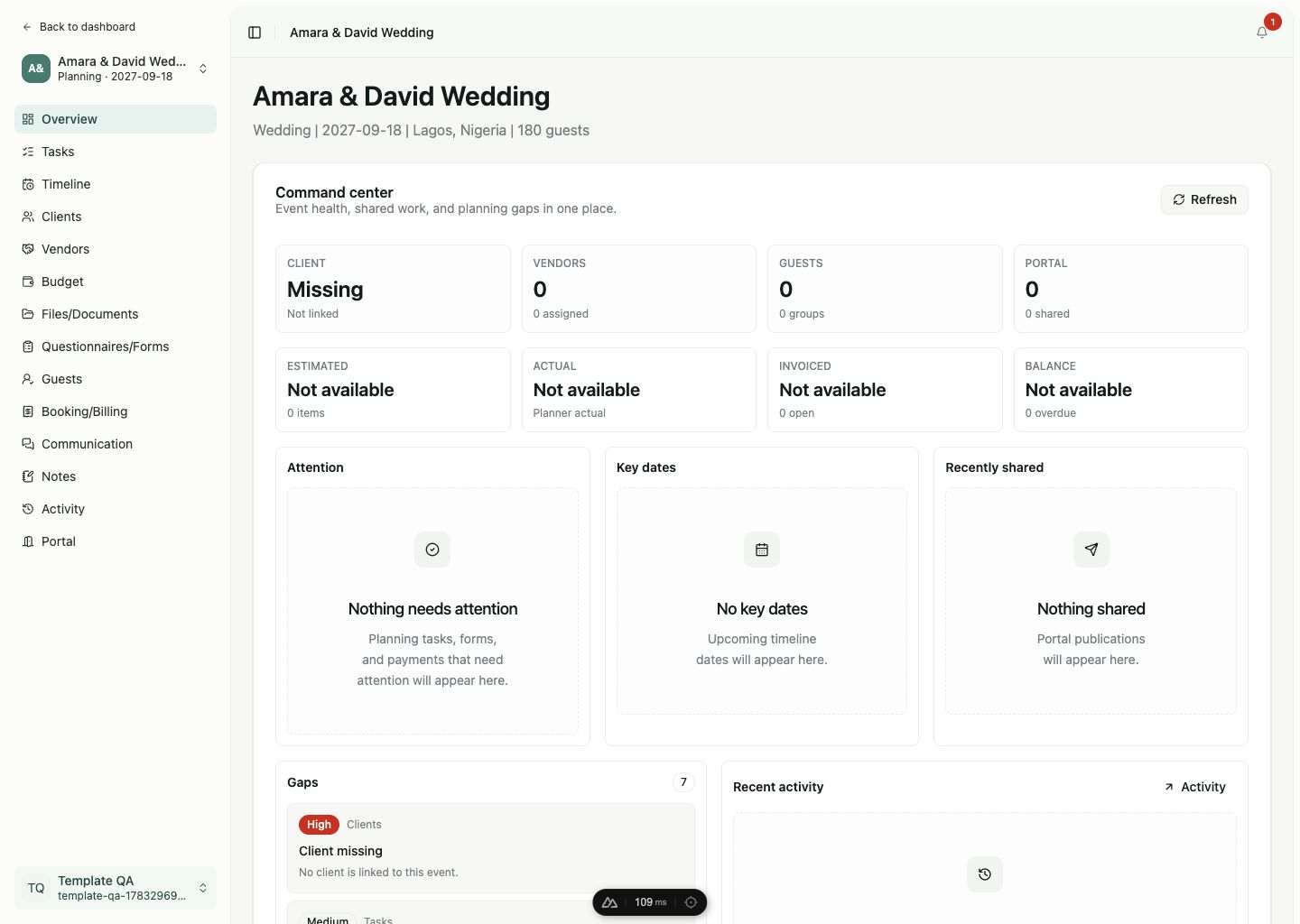
Explore the booking flowSee what needs attention
Follow booking progress, event gaps, assignments, shared work, and recent activity without rebuilding the story yourself.
Explore business operationsQuestions planners ask first
Clear answers before you move your work.
Linkvoy is meant to become your operating system, so the details matter. Here are the boundaries, workflow assumptions, and control points we think planners should know up front.
Is Linkvoy only for wedding planners?
Linkvoy is built first for professional wedding planning businesses because weddings have the deepest operational needs. The underlying event model also supports wedding-led studios that handle private dinners, celebrations, and other premium events.
What does Linkvoy replace in my current workflow?
Linkvoy connects the work that usually lives across forms, spreadsheets, generic CRMs, shared drives, task apps, proposal documents, and client portals. It is not trying to become your full email inbox, accounting system, or payment processor.
How does a new inquiry become a booked event?
You capture or enter the inquiry, qualify it into a lead, manage the proposal, contract, and retainer workflow, then launch a booked event with the client, tasks, vendors, files, timeline, billing records, notes, and activity already connected.
Can clients see everything in my planning workspace?
No. Planning work is private by default. You choose which files, forms, timeline items, invoices, requests, or approvals are published to the client portal, and you can target access by client role.
Can my team work in Linkvoy with me?
Yes. Linkvoy is designed around a business workspace for the planning studio, with roles and assignments for owners, admins, members, and viewers so team access can match responsibility.
Does Linkvoy process client payments?
Not in the first version. Linkvoy helps you create invoices, track retainers and balances, store payment proof, and attach external payment links so booking status stays visible without becoming a payment processor.
Will the product depend on AI?
No. Core workflows should work manually. AI-assisted drafting, summaries, and planning suggestions are intended to stay review-first so planners approve important changes before anything affects clients or events.
Everything you need to plan, coordinate, and deliver exceptional weddings.
Create your Linkvoy workspace and keep the first inquiry, the final timeline, and every important decision connected.
Start free